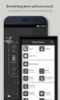
Floating shortcut bubble for instant access to settings, apps, and gestures, replacing awkward hardware buttons
Floating shortcut bubble for instant access to settings, apps, and gestures, replacing awkward hardware buttons
Vote (2 votes)
Program license Free
Developer Assistive Touch Team
Version 3720
Works under Android
Also known as Assistive Touch
Vote
(2 votes)
Developer
Assistive Touch Team
Works under
Android
Program license
Free
Version
3720
Also known as
Assistive Touch
Pros
- Floating on-screen control gives quick access to settings and apps from any screen
- Gesture-based shortcuts for actions like WiFi, Bluetooth, brightness, GPS, volume, screenshots, and screen lock
- Highly configurable layout, including favorite apps and system tools
- Can close apps and background processes to free some RAM
- Customizable icon appearance, with more styles available via subscription
- Useful alternative for users who find hardware button combinations uncomfortable
Cons
- Frequent ads can interrupt usage
- Some features and visual options require in-app purchases or a subscription
- Requires Android 4.4 or higher
- On some devices the floating button may vanish after the screen is turned off, requiring accessibility to be re-enabled
Assistive Touch for Android is a utility app that adds a floating on-screen control to your phone, giving instant access to key settings, tools, and apps. It suits people who like to tweak their Android experience, as well as anyone who finds side buttons or multi-button shortcuts (such as for screenshots) awkward to use.
Floating control bubble for quick actions
At the center of the app is a small circular icon that stays on top of whatever you are doing. Tapping it opens a compact panel of shortcuts, so you can reach commonly used functions without navigating through menus. You can set it up to handle system controls such as WiFi, Bluetooth, and screen brightness, or to toggle features like GPS and volume.
The app focuses heavily on gesture-based control. Instead of tapping through several screens, you can slide your finger in specific directions to run actions you chose earlier. This includes useful shortcuts like taking a screenshot or locking and unlocking your phone without touching any physical button, which can be especially helpful if your hardware keys are uncomfortable to reach or already worn.
Customizing icons, apps, and layout
Assistive Touch for Android offers a fair amount of personalization. You can decide which tools and apps appear in the floating menu, so your most-used options are always a single tap or gesture away. That includes system utilities, your favorite applications, and even actions such as shutting down apps and background processes to free some RAM.
Visual customization is part of the package too. You can change the style of the floating icon itself, picking a design that suits your taste. There are more icon choices available if you subscribe, and according to users, that subscription is low cost. The bubble can be dragged to different spots around the display, which helps keep it handy without covering what you are trying to see. Many will appreciate that it can be positioned so it does not feel distracting while still remaining easy to reach.
Daily use and efficiency
Once you configure it, the app can noticeably reduce the time you spend digging through Android settings. Actions like adjusting brightness, toggling connectivity, or opening a favorite app can be done with one tap from any screen instead of several steps inside the system menus. If you often capture screenshots, assigning that to the floating control is especially convenient, since you no longer have to press physical buttons on the side of the device at the same time.
Because the shortcut panel appears over other apps, it works as a constant control center. This can make everyday tasks feel more direct, particularly for those who like to fine-tune their phone’s behavior many times a day. It also helps users who rely on software controls instead of hardware keys, whether for comfort or because the physical buttons are already less reliable.
Ads, paid features, and reliability issues
Not everything in Assistive Touch for Android is available for free. Some customization options and advanced functions must be unlocked through in-app purchases or a subscription. That paid tier expands things like icon choices, and the cost is described as relatively low, but anyone who prefers a fully free tool should be aware of these limitations.
Advertising is another clear drawback. The app contains a large number of ads, which can interrupt your interaction and make the experience feel less fluid. If you are sensitive to frequent pop-ups or breaks in your workflow, this will be a strong negative.
There are also potential reliability concerns depending on your device. One reported issue is that the floating button sometimes disappears after the screen is turned off, even though accessibility has already been granted and the app was placed on a whitelist so it should not be cleared. In that situation, the user had to reopen the app and re-enable its accessibility permission to get the button back. For someone whose phone use depends on this tool, that kind of inconsistency can be frustrating.
From a compatibility standpoint, the app requires Android 4.4 or later, so older devices will be left out.
Verdict
Assistive Touch for Android is a strong option for users who want faster control of everyday phone functions and prefer software shortcuts over hardware buttons. Its floating bubble, gesture actions, and customizable shortcuts can streamline many routine tasks, from toggling settings to running favorite apps or taking screenshots. However, heavy advertising, paid feature locks, and possible issues with the floating button staying active make it better suited to users who are willing to tolerate or troubleshoot these downsides in exchange for its convenience.
Pros
- Floating on-screen control gives quick access to settings and apps from any screen
- Gesture-based shortcuts for actions like WiFi, Bluetooth, brightness, GPS, volume, screenshots, and screen lock
- Highly configurable layout, including favorite apps and system tools
- Can close apps and background processes to free some RAM
- Customizable icon appearance, with more styles available via subscription
- Useful alternative for users who find hardware button combinations uncomfortable
Cons
- Frequent ads can interrupt usage
- Some features and visual options require in-app purchases or a subscription
- Requires Android 4.4 or higher
- On some devices the floating button may vanish after the screen is turned off, requiring accessibility to be re-enabled